Reviving Guide
This guide provides essential information for new revivers in the Nuke family. It covers everything from unlocking the revive skill to handling contracts.
Getting Started
Unlocking the Revive Skill
To unlock the revive skill, you must reach the Brain Surgeon rank in the Medical job. This requires the following minimum stats:
- Manual: 2,600
- Intelligence: 10,000
- Endurance: 4,000
You will also need to spend a minimum of five days at each level to gain enough job points for promotion, totaling 105 days if you don't use job points on other actions.
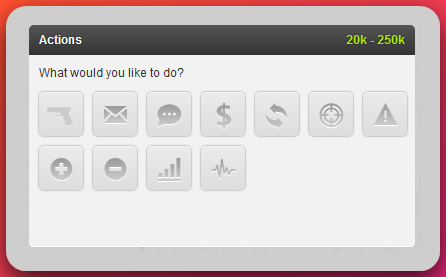
Once unlocked, a "Revive" action will appear on player profiles and mini-profiles.
How Reviving Works
- Revive Chance: Your success chance depends on your revive skill and the target's recent revival history. Each revive a person receives within 24 hours reduces their revive chance by approximately 4% (for a reviver with 100 skill).
- Health Restored: The amount of health you restore is directly tied to your skill level: 1% health at 1 skill, up to 100% health at 100 skill.
- Skill Progression: You can expect to reach 100 skill after approximately 1,800 to 2,000 revives. You gain more skill by reviving players with a lower success chance, but this also increases the risk of failure.
For raising your revive skill, focus on:
- Hostile Contracts: These allow you to use a large amount of energy on revives.
- Targets of Opportunity: Revive players who have overdosed on drugs, failed a crime, or are inactive with their revives on.
Reviver Ranks
Nuke categorizes revivers based on their skill level:
- Standard Reviver: 0-99 skill
- Premium Reviver: 100 skill
Handling Revive Requests
How to Receive Requests
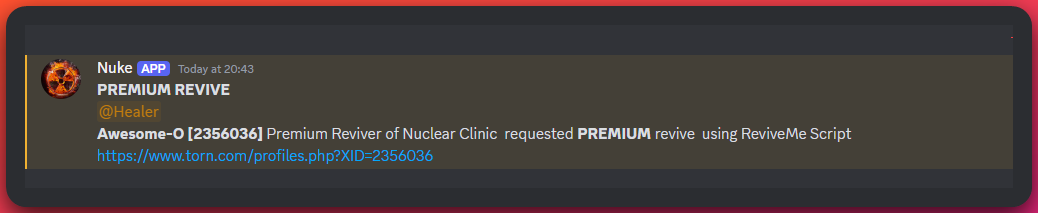
All revive requests are centralized and posted in the Nuclear Central Discord server. You can receive notifications for these requests by turning on the Healer role in the #medical-alerts-on-off channel.
Most requests will appear in the #reviving or #premium-revive channels.
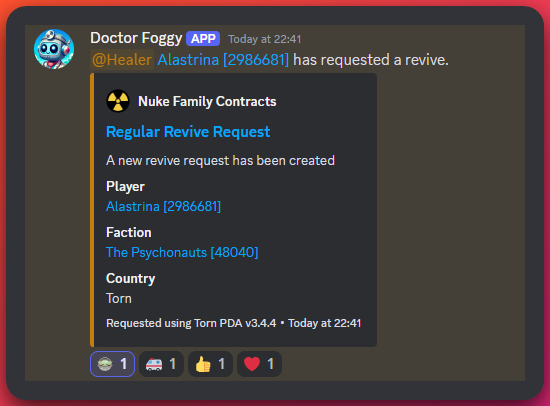
See Revive Request Example
Fulfilling a Request
- Accept the Request: Click the link in the Discord message to go directly to the player's profile.
- Perform the Revive: Use the "Revive" action on their profile.
- Mark as Complete: After a successful revive, react to the Discord message with an emoji. This marks the request as complete and prevents other revivers from attempting the same revive. The bot will add an ambulance (🚑), thumbs up (👍), and heart (❤️) emoji and clear the request.

If a revive is not possible because the person has their revives off or is suffering from radiation poisoning, mark the request with a red X (❌) or a radiation symbol (☢️).
For information on how to request a revive for yourself or others, please see the Requesting Revives guide.
Selling Revives
Pricing
You are free to sell revives, but you must adhere to the community standard price of $1,800,000 or two Xanax. Pricing your services lower devalues your energy and negatively impacts the market for all revivers.
Revives requested through Discord are priced at $1,800,000 or two Xanax.
Charging for Fails
As a player's revive chance decreases, your chance of failure increases. It is standard practice to charge for failed attempts. We recommend you start charging for fails when the revive chance drops below 60%. You should also set a hard limit at which you will no longer make attempts (e.g., 40-50%).
Payment Etiquette
- Patience is Key: Do not demand payment immediately after a revive, especially if the player is in a war or chaining. They are likely busy and may not have cash on hand.
- Follow-Up Politely: Once their activity has concluded, send a polite message requesting payment. Include the revive log for their reference.
Example Message:
Subject: Revive Request
Body: Hey, could you please send payment for the requested revive(s) below? Well done on the chain/war!
[Paste revive log(s) here]
Handling Non-Payment
If a player refuses to pay, there isn't much that can be done directly. However, you should report them to the Nuke Blacklist.
Nuke Blacklist
The Nuke Blacklist is an internal tool for Nuke members to track players who are untrustworthy.
- Access: You can find instructions on how to install and use the blacklist script on the Nuke Userscripts info page.
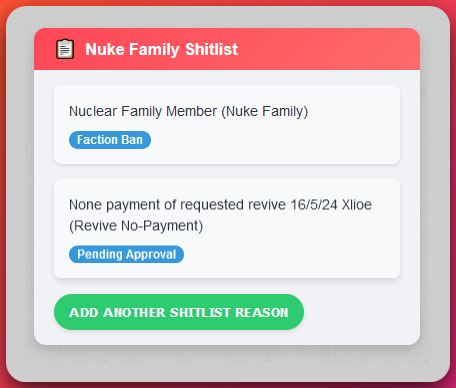
- Usage: The script will display a user's blacklist status on their profile. Pay close attention to tags like "Revive No-Payment" and "Scum Lord." While you can choose to ignore the blacklist, it is there to protect you.
Revive Contracts
Contracts are formal agreements for providing revives. You can find active contracts in your faction announcements, on Discord, or on the Nuke Family website.
Contract Types
- Friendly Contracts: Reviving members of an allied faction. These are often for online players only.
- Hostile Contracts: Reviving players in a faction that is being targeted in a war. Do not contact the target faction.
Understanding Contract Terms
When you accept a contract, you will see an "Active Contract" box on the user's profile (if you have the Nuke Shitlist script installed). This box provides important details:
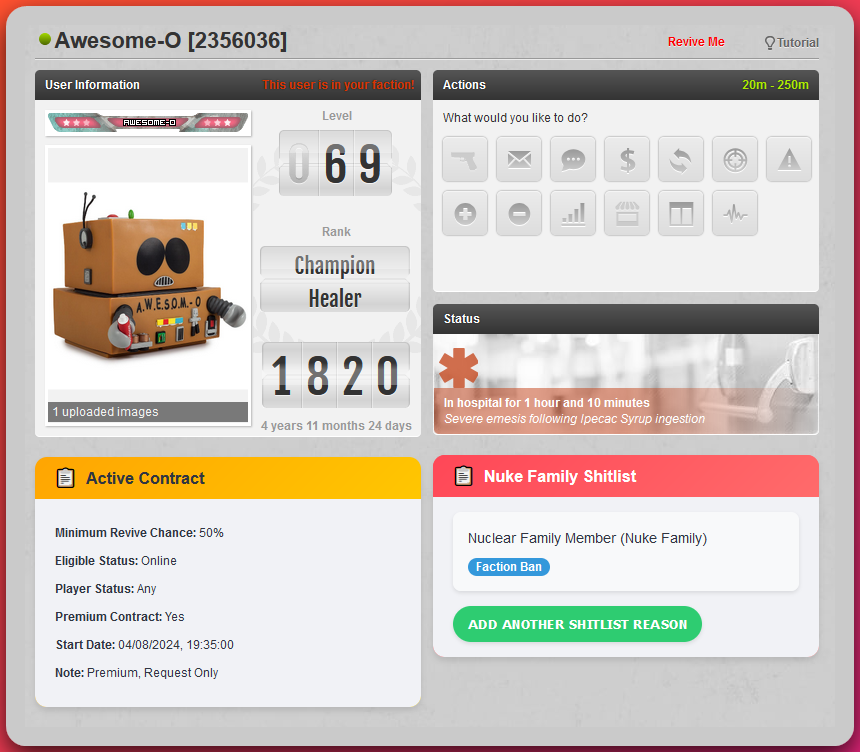
- Revive Chance: Do not perform revives if the chance is below the specified threshold, as they will not be paid.
- Player Status: The contract may specify reviving players with a certain status (e.g., Hospitalized, Mugged).
- Notes: Always read the notes for any special conditions.
Contract Payouts
Contract revives are paid out by your faction leadership at the following rates:
- Standard Contracts: $1,700,000
- Premium Contracts: $1,900,000
You do not need to collect payment from individual players for contract revives.